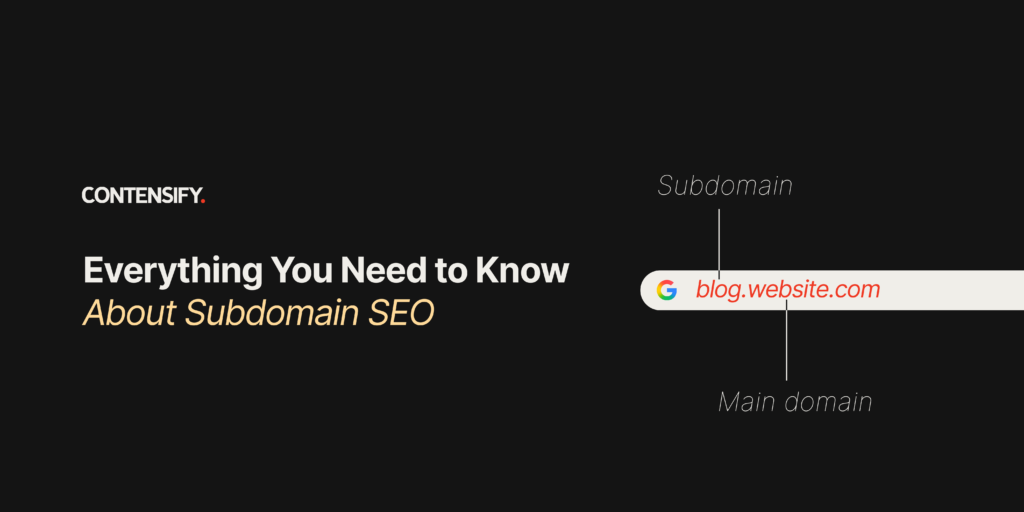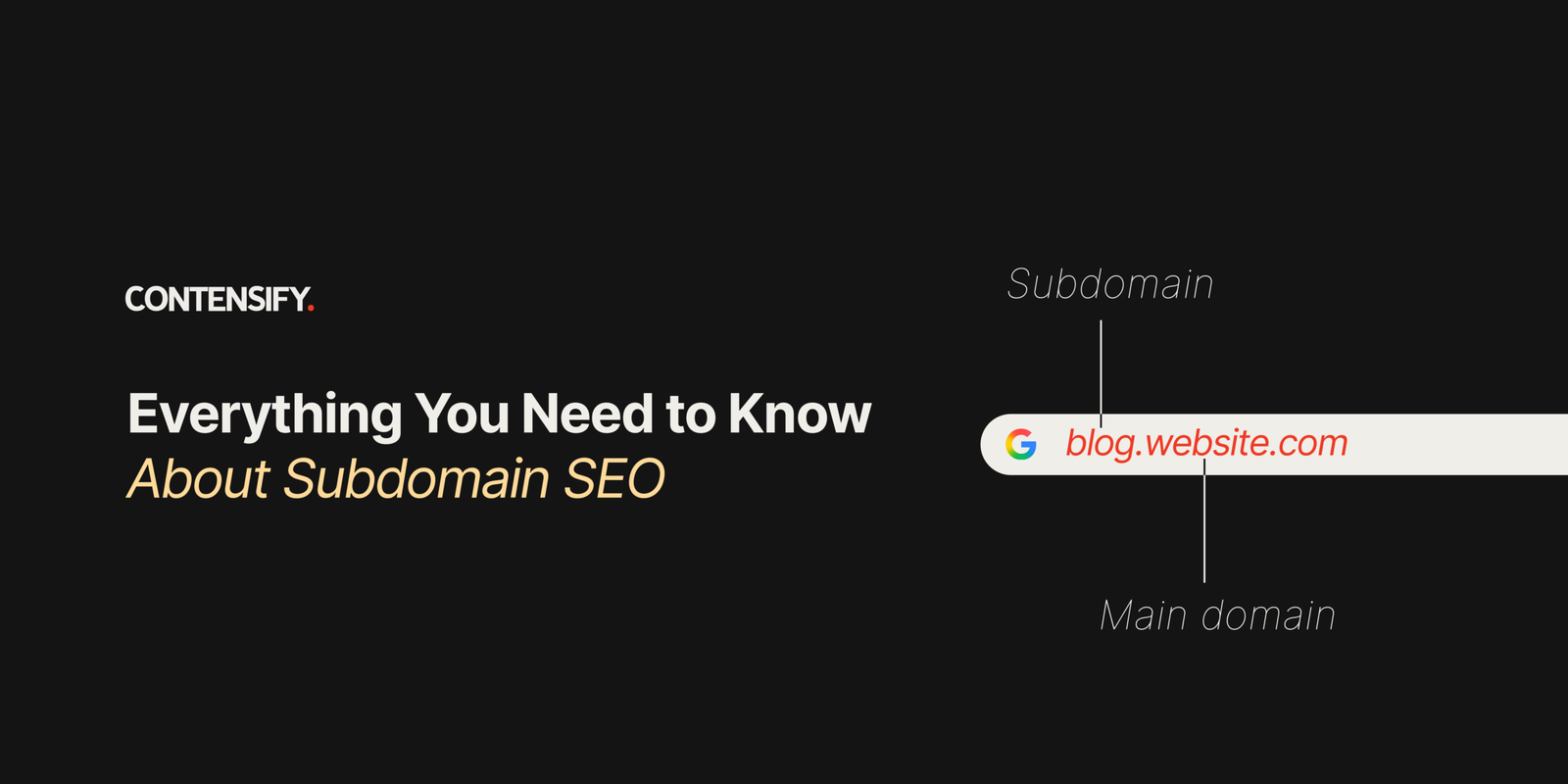
If your blog, academy, or help centre lives on a subdomain, you may have heard conflicting advice about its SEO impact. Some argue that subdomains hurt rankings, while others say they make no difference. So, does the way you structure your website actually affect organic performance?
This question often comes up when businesses separate sections such as blogs, academies, or communities from their main website.
The short answer? Subdomains don’t inherently hurt SEO. Google has no blanket preference for subdomains over subdirectories. What matters is how your site is structured, what each section needs to achieve, and how well it is managed.
In this guide, we’ll explore the SEO implications of subdomains and how to decide whether one is right for your website.
What Is a Subdomain?
A subdomain is a prefix added before a root domain to create a separate section of a website. For example, academy.example.com, help.example.com, and blog.example.com can host different sections of the same website.
Here’s how https://academy.example.com breaks down:
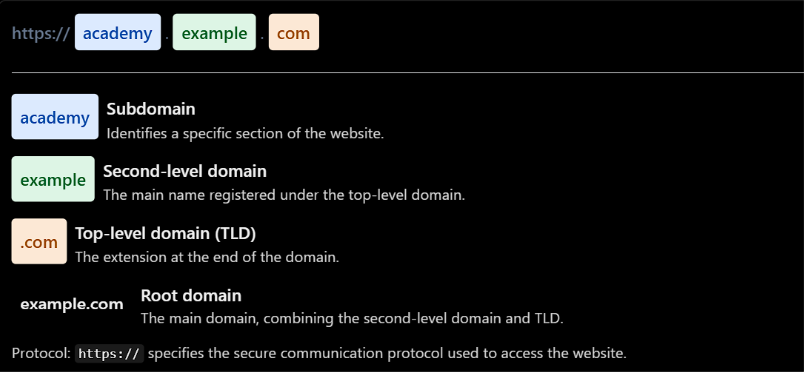
Interestingly, www is also a subdomain, as in www.example.com.
Businesses commonly use subdomains to host academies, help centres, documentation, ecommerce stores, regional websites, separate products, communities and testing environments. They can also run on a different design, platform or technology from the main website, giving teams greater flexibility in how they build and manage each section.
Subdomain vs. Subdirectory: What’s the Difference?
A subdomain sits before the root domain and can function as a separate host, sometimes with its own CMS and technical setup. For example, blog.example.com can host a blog independently of the main website.
A subdirectory sits within the main domain’s URL path. For example, example.com/blog keeps the blog within the main website’s structure.
| Factor | Subdomain | Subdirectory |
| URL structure | blog.example.com | example.com/blog |
| Site structure | Separate host | Folder within the main domain |
| CMS and setup | Can use a separate CMS or setup | Can share the main site’s CMS and setup |
| Management | May require separate technical management | Can be managed within the existing site |
| Search Console tracking | Can use its own property or a domain property | Covered by the main domain property |
The table highlights differences in URL structure, setup, and management, not ranking outcomes. Google has no general ranking preference for either structure, so the choice should depend on your website’s architecture, your team’s capabilities, and what works best for the section.
How Do Subdomains Impact SEO?
Here are five key factors that determine how subdomains can affect your SEO performance:
Crawling and Indexing
Google can crawl and index subdomains, but pages may remain undiscovered if the subdomain lacks internal links, an XML sitemap, or correct crawl settings.
To improve discoverability:
- Link important pages from existing, crawlable pages.
- Submit the subdomain’s XML sitemap in Google Search Console.
- Check its robots.txt file to ensure important pages aren’t blocked. Robots.txt rules apply to individual hosts, so the main website’s file doesn’t automatically apply to its subdomain.
For example, if only 40 of a new help centre’s 200 articles are indexed after a month, check these factors using Search Console’s Page indexing report and URL Inspection tool.
Rankings and Authority
A subdomain should not be assumed to inherit every SEO advantage of the main website automatically. Its content, internal links, backlinks, and topical relevance all contribute to its ability to rank. Google uses multiple signals to rank individual pages, while site-wide signals also play a role. Read Google’s ranking systems guide for more details.
Internal Linking
Link between the main domain and subdomain wherever relevant to make their relationship clear to users and search engines. Use contextual links, the main navigation, footers, and breadcrumbs to connect related pages. Avoid creating an isolated subdomain with little connection to the main website.
Keyword Cannibalization
The risk of keyword cannibalization comes from overlapping search intent, not simply from using a subdomain. When pages on both properties target the same query without a clear reason, they may compete for visibility.
For example, both URLs could target the same “SEO guide” query:
- example.com/seo-guide
- academy.example.com/seo-guide
Decide which property should own each topic before publishing to avoid unnecessary overlap.
Content Duplication
Avoid publishing substantially identical content across the main domain and subdomain. If similar pages are necessary, determine the appropriate canonicalization and indexing approach to help Google identify which version should appear in search results. Each property should have a clear purpose, with content tailored to its intended audience rather than duplicated without a reason.
Does a Subdomain Have Its Own SEO Authority?
One common misconception is that a subdomain is completely disconnected from the main domain and receives no benefit from its association with the main website.
The opposite misconception is that a subdomain automatically inherits all the main domain’s SEO authority. Neither assumption is supported by Google’s documentation, which recognises both page-level and site-wide ranking signals.
Also, Domain Authority is a third-party metric, not a Google ranking signal. Moz, Semrush, and other tools use their own scoring systems, so a domain authority score alone cannot predict how a subdomain will perform.
To manage a subdomain’s SEO effectively:
- Treat it as a separate SEO asset: Assess its performance based on its own purpose and results.
- Build relevant content and links: Develop topical relevance and earn links that support its pages.
- Connect it to the main site: Use relevant internal links to establish clear relationships between both properties.
- Track performance separately: Monitor the subdomain independently where useful, using Google Search Console and analytics tools.
When Should You Use a Subdomain?
Use a subdomain when a website section has a distinct purpose, product, technical setup, geographic focus, or security requirement. Here’s when it makes sense
When the Content Serves a Different Purpose
Support centres, documentation and learning academies serve existing users and often need different navigation from the main marketing site. For example, help.salesforce.com, docs.github.com and academy.hubspot.com serve distinct user needs. Link each section back to the main site and maintain consistent branding.
When You Have a Distinct Product or Business Line
A separate product may target a different audience, require a unique user experience, or have its own team. A subdomain helps separate these experiences. Decide which property owns shared topics before publishing to avoid content overlap.
When You Need a Different Technical Stack
Your main website, academy, and product application may run on different platforms or CMSs. In such cases, a subdomain can simplify deployment and maintenance. Technical requirements can sometimes outweigh SEO considerations, so evaluate your infrastructure needs before choosing between a subdomain and a subdirectory.
When You Are Targeting a Distinct Geographic or Language Experience
Regional subdomains such as fr.example.com can serve localised content. Subdomains, subdirectories and country-code domains each have trade-offs in maintenance, cost and geographic targeting. Choose your structure alongside your hreflang implementation, following Google’s international SEO guidance.
When You Need to Isolate a Testing Environment
A staging subdomain lets developers test changes before launch. However, robots.txt blocking alone doesn’t guarantee URLs stay out of search results. Protect staging with HTTP authentication and use noindex as an additional safeguard.
When Should You NOT Use a Subdomain?
Most poor subdomain decisions come from convenience or fear rather than a clear business or technical need.
Here’s when to reconsider using one:
- You simply want to organize your blog: If your blog supports your main marketing website, example.com/blog may be sufficient. Don’t create a subdomain just because your CMS makes it convenient.
- You want to “protect” your main domain from SEO: A subdomain isn’t a magic SEO sandbox. Creating one doesn’t automatically shield your main website from the consequences of low-quality content or poor SEO practices.
- You are trying to rank for the same topics as your main site: Avoid splitting closely related content across properties without a clear architectural reason. Define topic ownership to prevent overlapping search intent and potential keyword cannibalization.
- Your team cannot support a separate SEO property: A subdomain requires ongoing management of content, technical SEO, link building, analytics, monitoring, and governance. If your team cannot maintain it properly, keeping the content within your main website may be more practical.
Are Blog Subdomains Bad for SEO?
Blog subdomains aren’t inherently bad for SEO. However, if your blog primarily drives organic traffic and leads for your main business, a subdirectory is generally the simpler choice.
1. Blog on a subdomain (blog.example.com)
A subdomain offers flexibility to use a separate CMS, design, and editorial workflow. It can simplify technical management when the blog has different requirements. However, it needs deliberate internal linking, a dedicated content strategy, and performance tracking. It may also be less integrated with the main website’s product and service pages.
2. Blog in a subdirectory (example.com/blog)
A subdirectory is often easier to manage when the blog supports the main business. It keeps content within the existing website architecture and makes it easier to connect articles with relevant product and service pages.
Which should you choose?
If your blog is a core acquisition channel, consider a subdirectory first. If it serves a genuinely different audience or purpose, a subdomain may make more sense.
At Contensify, we generally recommend keeping blogs in subdirectories when SEO is a major objective, while recognising that the right structure depends on the website’s needs. Don’t migrate simply because subdomains are supposedly bad for SEO. Evaluate your existing architecture, performance, content relationships, technical constraints, and migration risks before making a change.
How to Do SEO for a Subdomain
SEO for a subdomain follows the same workflow as optimising a new website. The main domain can support it through relevant links and existing brand demand, but the subdomain still needs its own strategy. Here’s how to approach it:
Build a dedicated keyword strategy
Identify topics relevant to the subdomain and assign each search intent to the right property. Avoid duplicating the main website’s keyword map.
| Topic | Search intent | Owner | URL |
| Payment automation software | Commercial | Main site | example.com/payment-automation |
| Payment automation tutorials | Informational | Subdomain | academy.example.com/payment-tutorials |
| Integration setup guide | Support | Subdomain | academy.example.com/integration-guide |
Create a clear content strategy
Define the audience, purpose, content pillars, and publishing roadmap before creating content. Every page should address a specific user need rather than exist simply to fill the subdomain.
Build internal links
Link relevant pages between the main site and subdomain to connect educational content with commercial pages. Add contextual links, navigation links, related-content modules and calls to action where they help users move naturally between sections.
Build relevant backlinks
Links to your main domain won’t address every subdomain’s needs. Prioritise relevant, quality links over volume through:
- Encouraging customers and partners to reference useful documentation.
- Working with integration partners to link to relevant setup guides.
- Publishing original research, data or tools worth referencing.
Optimise technical SEO
Check these technical elements specifically for the subdomain:
- Crawlability: Ensure important pages are accessible to search engine crawlers.
- Indexability: Check that key pages aren’t blocked or marked noindex.
- XML sitemap: Submit a sitemap containing the subdomain’s canonical URLs.
- robots.txt: Check the file served on the subdomain’s own host.
- Canonical tags: Use the correct full URL, including the subdomain.
- Redirects: Enforce HTTPS and one preferred hostname consistently.
- HTTPS: Ensure the SSL/TLS certificate covers the subdomain.
- Page speed: Test loading performance on key templates.
- Structured data: Validate relevant schema markup on the subdomain’s pages.
- Internal links: Check for broken links and important orphan pages.
- hreflang: Implement correct language and regional URLs where relevant.
How to Track Subdomain SEO Performance
Here’s how to track subdomain SEO performance:
Google Search Console
Google Search Console offers two property types:
- Domain property: Covers all protocols, subdomains, and paths. Requires DNS verification and provides a consolidated view.
- URL-prefix property: Covers URLs matching a specific protocol, host, and path prefix. Verification options include an HTML file, HTML tag, Google Analytics, or Google Tag Manager.
Use a domain property for overall visibility and a separate URL-prefix property to track a specific subdomain, such as an academy.
Google Analytics
Use GA4 to track user journeys between your main domain and subdomain. Configure cross-domain measurement with the same web data stream when both sites form part of the same journey. Use a separate stream when the subdomain requires independent measurement. Also, compare self-referrals and session counts to check attribution.
SEO tools
Use SEO tools to track organic traffic, rankings, impressions, CTR, indexed pages, backlinks, referring domains, conversions, and assisted conversions using the relevant sources.
| Metric | Source |
| Organic traffic, conversions, assisted conversions | GA4 |
| Impressions, CTR | Search Console |
| Rankings | Rank tracker |
| Indexed pages | Search Console |
| Backlinks, referring domains | Backlink tool |
Measure the business impact
Don’t judge a subdomain by traffic alone. Track its contribution to leads, sign-ups, product activation, pipeline, customer education, retention, and brand visibility. For example, measure an academy by the sign-ups and product activations its tutorials generate, not just its sessions.
Subdomain SEO Best Practices: A Practical Checklist
Use this checklist to optimise your subdomain for SEO:
- Have a clear reason for creating the subdomain.
- Determine whether a subdirectory could achieve the same goal.
- Define its audience and purpose.
- Map keywords between the main domain and subdomain.
- Avoid overlapping search intent.
- Create unique, useful content.
- Build contextual internal links.
- Maintain separate XML sitemaps where appropriate.
- Configure robots.txt correctly.
- Check canonical tags.
- Monitor indexing.
- Track the subdomain’s organic performance.
- Build relevant authority.
- Connect the subdomain to the main website experience.
- Keep test and staging subdomains out of search.
Subdomain vs. Subdirectory: Which Is Better for SEO?
The right choice depends on your website structure, technical requirements, and SEO goals. Use this framework to decide which option fits your needs.
| If your priority is… | Consider… |
| Organising related blog content | Subdirectory |
| Maintaining a distinct product experience | Subdomain |
| Hosting documentation or help content | Either, depending on your architecture |
| Creating a separate academy | Subdomain may make sense |
| Building a core SEO content engine | Evaluate a subdirectory first |
| Serving a completely different audience | Subdomain may make sense |
| Using a different technical stack | Subdomain may be more practical |
| Targeting international markets | Evaluate subdomains, subdirectories, and ccTLDs |
| Testing a new platform | Use a staging subdomain and prevent indexing |
Should You Move Your Subdomain to a Subdirectory?
Moving a subdomain to a subdirectory is not automatically an SEO improvement. The decision depends on how the subdomain supports your website, how well it performs today, and whether consolidating it would simplify your overall SEO strategy.
When a migration makes sense
A move may be worth considering when your blog, academy, or resource hub serves the same audience as your main website and contributes to the same acquisition journey. Bringing these sections under one site structure can simplify content management, internal linking, and performance reporting.
However, if the subdomain serves a distinct audience, relies on a separate platform, or operates independently, keeping it separate may be the more practical choice.
Evaluate the trade-offs first
Before deciding, assess three things:
- SEO performance: How much organic traffic, ranking visibility, and conversion value does the subdomain already generate?
- Technical complexity: Would consolidation simplify your architecture, or introduce significant development and maintenance work?
- Business impact: Would the move improve the user journey and connections between informational content and commercial pages?
If you decide to migrate
Treat the move as a site migration, not just a URL change. Map old URLs to relevant destinations, implement permanent redirects, update internal links, canonical tags, and XML sitemaps, and monitor indexing, rankings, and conversions after launch. Only migrate when consolidation serves a clear SEO or business goal, and the expected benefits outweigh the risks.
Conclusion
Subdomain SEO requires more than technical fixes. It takes experience in site architecture, content strategy, technical SEO, and performance tracking to ensure each subdomain supports your broader business goals.
In-house teams may not always have the specialised expertise or bandwidth to manage these complexities alongside their existing responsibilities.
At Contensify, we’ve been helping businesses grow through SEO and content for over a decade. Whether you’re launching a new subdomain, improving its organic visibility, or evaluating a migration, we can help you make informed decisions and build a strategy that delivers results.